
This article is part of the series My favorite FOSS tools.
TL;DR
- checkout whisperbin on GitHub
- use it in your browser: https://bin.marco-kretz.de/
- your browser encrypts the text before it is sent. The server only stores unreadable data and never gets the key
- optional: password protection and “burn after reading” (the paste is deleted after it was opened once)
- it is open source (MIT license), so you can read the code, run it yourself and contribute
Info
This article is based on the whisperbin code at the time of writing: commit ea7186e (2026-11-21). Newer versions may differ.
What does whisperbin look like? What can be done with it?
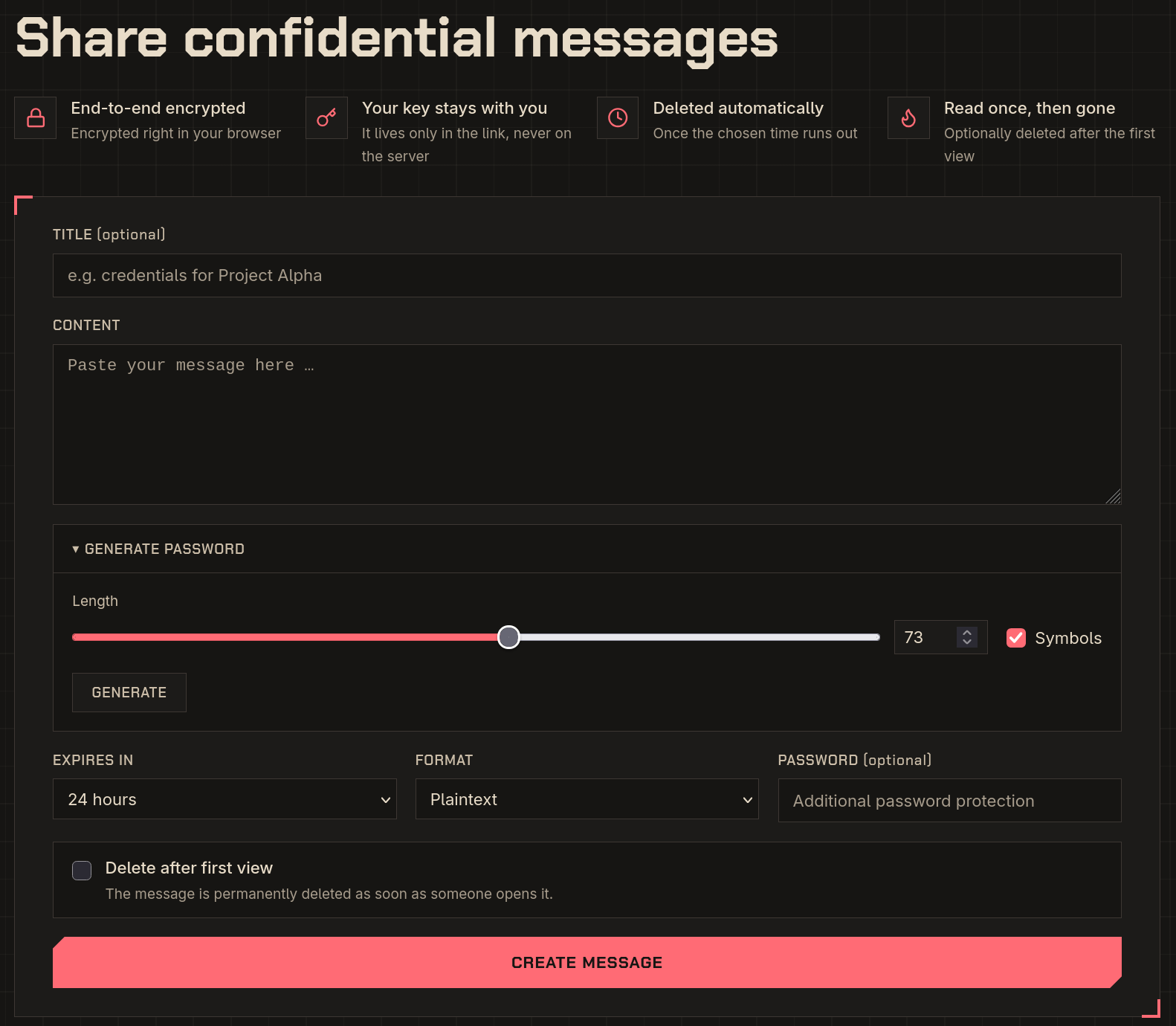
Whisperbin is a single page in your browser. You enter the sensitive data you want to share, make a few settings (like extra password protection of the link it will generate), and then you are good to go.
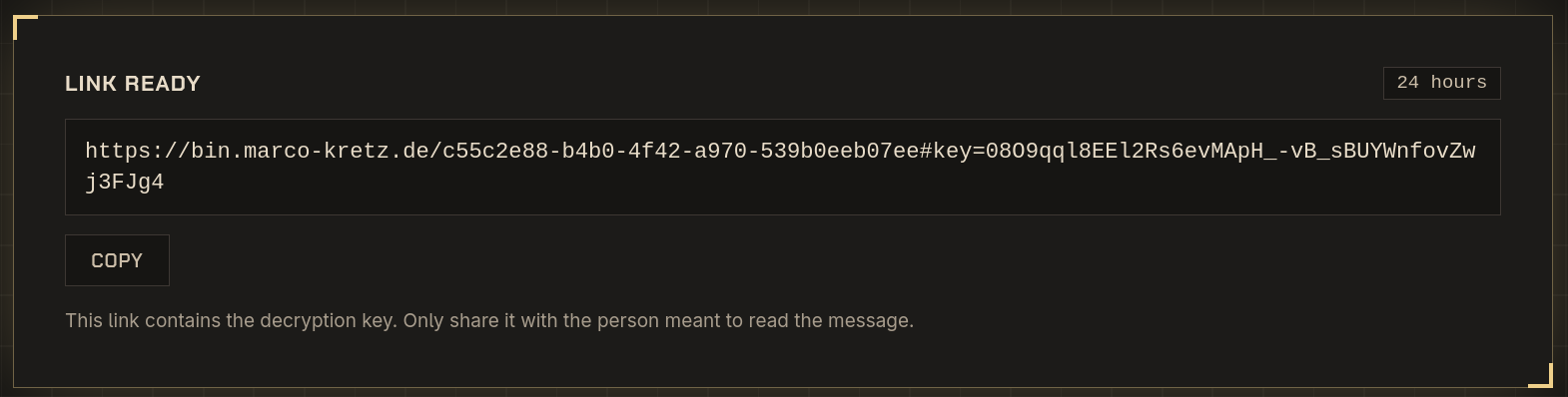
After you submit the form, you get a sharable link:
Whisperbin is available in English and German: it picks the language from your browser settings, and you can switch it in the header. More languages could follow (maybe with your help, see Contributing).
How does it work?
Note
The core idea: encrypt in the browser, store only the encrypted data on the server, keep the key out of the server’s reach.
- Your browser generates a random key and encrypts your text with it.
- Only the encrypted text (the ciphertext) is sent to the server and stored in a database.
- The key is added to the link, behind a
#:https://bin.marco-kretz.de/<id>#key=... - The receiver opens the link. Their browser fetches the ciphertext and decrypts it locally with the key from the link.
Warning
The server stores your data, but it cannot read it. Whoever has the full link can, so share it carefully.
Behind the scenes: Learning from whisperbin
Symmetric encryption with AES-GCM
Whisperbin uses symmetric encryption: the same key is used to encrypt and decrypt. The algorithm is AES (Advanced Encryption Standard) with a 256-bit key.
AES needs a mode that defines how longer data is processed. Whisperbin uses GCM (Galois/Counter Mode). GCM does two things: It keeps the data confidential (nobody can read it without the key. And it makes the data tamper-proof (if someone changes even one bit of the ciphertext, decryption fails instead of returning garbage)
Next to the key, GCM needs an IV (initialization vector, also called nonce). This is a random value that must be unique for every encryption with the same key. It is not secret, so whisperbin stores it next to the ciphertext. Whisperbin generates a fresh key and IV for every paste.
Encryption in the browser: the Web Crypto API
You do not need a library for this. Modern browsers come with the Web Crypto API. The whole encryption in whisperbin boils down to three calls:
const key = await crypto.subtle.generateKey({ name: 'AES-GCM', length: 256 }, true, ['encrypt', 'decrypt']);
const iv = crypto.getRandomValues(new Uint8Array(12));
const cipherBuffer = await crypto.subtle.encrypt({ name: 'AES-GCM', iv }, key, encodedPayload);
Check out src/lib/crypto.ts if you want to see the full picture. It is less than 100 lines.
Tip
A rule of thumb: never write your own crypto algorithms. Use well-tested building blocks like the Web Crypto API and combine them correctly. That is exactly what whisperbin does.
The URL fragment trick
Why is the key behind a # in the link? Everything after the # is the URL fragment. Browsers do not send the fragment to the server when they request a page. It only exists in the browser. JavaScript can read it with window.location.hash.
That way, the server delivers the ciphertext, but the key never reaches it. Not even in the server’s access logs.
Hashing vs. encryption: the optional password
This one confuses a lot of people, so it is worth looking at:
- encryption is reversible. With the key you get the original data back
- hashing is a one-way function. You cannot get the original data back from a hash
The optional password in whisperbin is not used for encryption. It is checked by the server before it hands out the ciphertext. The server stores a hash of the password, not the password itself. For this, whisperbin uses scrypt, an algorithm that is deliberately slow and memory-hungry to make guessing passwords expensive. Each password also gets a random salt, so two identical passwords result in different hashes.
When comparing hashes, whisperbin uses Node’s timingSafeEqual. A normal comparison stops at the first different character, and an attacker could measure those tiny time differences. A timing-safe comparison always takes the same time.
Good randomness
Keys, nonces, salts and generated passwords must be unpredictable. Math.random() is not good enough for that. Whisperbin uses crypto.getRandomValues() in the browser and randomBytes() on the server, which are cryptographically secure.
A small bonus: the password generator avoids the so-called modulo bias, where some characters would appear slightly more often than others. Look for “rejection sampling” in crypto.ts.
Defense in depth
Encryption is only one layer. Whisperbin also comes with:
- rate limiting: a limited number of requests, new pastes and password attempts per IP and minute. This slows down brute-force attacks. In production, Redis keeps track of the counters
- security headers: e.g.
Strict-Transport-Security(HTTPS only),X-Frame-Options(no embedding in other pages),Referrer-Policy: no-referrerandCache-Control: no-storeso encrypted data does not end up in caches. Check outsrc/hooks.server.tsand the OWASP HTTP Headers Cheat Sheet - data minimization: expired pastes are deleted, one-time pastes are wiped on first reveal
Known limitations
No tool is perfect, and understanding the limits is part of the learning. Whoever has the full link can read the paste. If you share the link in the tool you wanted to avoid, the protection is gone. Use “burn after reading” so the data is gone after the intended recipient has read it.
You also have to trust the server to deliver the correct JavaScript. A manipulated server could deliver code that leaks your key. This is true for every web-based encryption tool. Since whisperbin is open source, you can host it yourself (a Dockerfile is included). Lastly, JavaScript is required. Without it, nothing can be encrypted in your browser.
The Tech Stack
Whisperbin is a full-stack TypeScript application. You do not need to understand all of it to learn about the encryption part, but if you want to contribute, here is the overview:
| Technology | What it does in whisperbin |
|---|---|
| SvelteKit | the application framework. It handles both the pages and the server code |
| Svelte | the UI framework for the components |
| TypeScript | JavaScript with types |
| Tailwind CSS (v4) | styling via utility classes |
| Drizzle ORM | type-safe database access and schema migrations |
| SQLite via better-sqlite3 | the database. A single file, no extra database server needed |
| Redis | stores the rate limit counters in production |
| highlight.js | syntax highlighting |
| Vite | dev server and build tool |
| Node.js (22+) and pnpm | runtime and package manager |
| Docker | packaging for deployment |
Open Source: Anybody Can Contribute
Whisperbin is published under the MIT license. This means you do not have to trust anybody’s word about the security. You can read the code yourself.
And you can improve it.
Tip
Before you open a pull request, run the tests. If you work with a coding agent, the repository already contains an AGENTS.md with instructions for it.
Some ideas where you could help:
- translations: the UI is available in English and German. All texts live in
src/lib/i18n.ts, so adding your language is a nice first contribution - review the code: security tools benefit from more eyes. Found something? Open an issue
- documentation: explain things that were unclear to you when you first read the code. If you struggled, others will too
Further Reading
Sources
- whisperbin on GitHub and its README
- whisperbin source code:
src/lib/crypto.ts,src/lib/server/paste.ts,src/hooks.server.ts,src/lib/i18n.ts - MDN: Web Crypto API
- MDN: Crypto.getRandomValues()
- MDN: URI fragment
- Node.js: crypto.timingSafeEqual()
- Node.js: crypto.randomBytes()
- Wikipedia: scrypt
- OWASP HTTP Headers Cheat Sheet